
WELCOME TO VERSION 3.1 OF
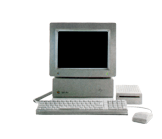
WHAT IS THE APPLE IIGS?
This site is dedicated to the preservation of the Apple IIGS computing platform. The archives held within can be used with emulators or for use on real Apple IIGS computers.
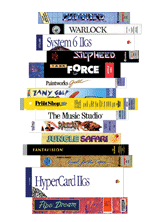
It is hoped that one day this archive will feature a complete library of Apple IIGS applications, games, educational software, hardware references and drivers and publication cover scans. If you’re a collector yourself, you can help make this already comprehensive archive 100% complete.



Current Apple IIGS related Auctions Listed By Time Left:
Vintage Software Apple II IIe IIc IIgs RUSSIA The Great War in the East
LEGO TC Logo - Super Rare DACTA - APPLE IIe & IIgs - Interface Card & Cable 9767
Apple ADB Touchpad Mouse Mice Replacement for G5431 m1042 M2706 A9M0331 IIGS IIe
Phonics Prime Time 1.0 by MECC for Apple II+, Apple IIe, Apple IIc, Apple IIGS
Sound Tracks 1.0 by MECC for Apple II+, Apple IIe, Apple IIc, Apple IIGS
9767 GPIO 6522 card + LED LCD Display card for Apple ii iie iigs Laser128 clone
The Treehouse School Edition by Broderbund for Apple IIe 128k,IIc,IIgs 1991 ii
External CF Drive v2.0 for Apple II II+ IIe IIgs 40 Pin IDE be ReActiveMicro
Columns 2.0 3.5" Disk by Big Red Computer Club for Apple IIGS
Blue Helmet 3.5" Disk by Big Red Computer Club for Apple IIGS
HOW TO GET STARTED WITH AN APPLE IIGS EMULATOR
1. Download an emulator for your computer:

Sweet 16
for Mac OS X 10.4 PPC and Intel based Macs
Virtual Apple
for Active X capable web browsers
GSPort
for Mac OS X


GSPort
(I've not had any experience with GSPort on any flavour of Linux, so it's up to you to get it running)
2. Download one Apple IIGS firmware ROM, which is necessary for an Apple IIGS to work:
ROM01 (recommended, more compatible) or ROM03 (only slightly faster, less compatible);
3. Rename the ROM file you have downloaded according to your emulator’s instructions and place the ROM file in the same directory as your emulator executable/application. For example, KEGS requires the IIGS ROM simply be called ‘ROM’. Bernie ][ the Rescue requires that the ROM01 filename be called ‘Apple IIgs ROM 01’.
4. Download the 2image archives from this site. Unzip each download, then open/mount them with your emulator. Reboot the virtual IIGS and begin experiencing the 16-bit Apple II.
5. Some 2image archives don’t include a bootable operating system, so you will require a boot disk to load first. Download one or all three of these hard drive images, which includes a bootable versions of GS/OS:
 System 6.0.1 Hard Drive Image (Complete with many shareware and freeware and every system tool and font used by almost every IIGS desktop based program ~13.3meg)
System 6.0.4 Hard Drive Image (An alternative, same as above, but updated with unofficial System 6.0.4 ~13.5meg)
All versions of GS/OS & ProDOS 16 Hard Drive Image (Setup with TaifunBoot, you can launch any version of the IIGS operating system from this single volume, now with full ROM 03 compatibility ~13.6meg)
6. In addition to booting with one of the above system disks, you can quickly start with the widest range of IIGS software in the shortest amount of time by utilising these 32 meg ProDOS disk images, which include as much hard drive installable software as possible:
System Add-ons (Customise GS/OS with a huge collection of system extensions ~12.5meg)
Fonts (Huge collection of bitmaps and a large selection of TrueTypes for use with Pointless ~15.1meg)
Action Games (A whole 32meg volume dedicated to the action and arcade genre ~17meg)
Adventure and Simulation Games (All hard drive installable adventure and simulation games ~20.2meg)
Board Games and RPGs (All hard drive installable Board and Role Playing Games ~15.8meg)
Sports & Unreleased Games (A volume of Sports and Unreleased games with more shareware, freeware and game demos ~13.9 meg)
Games with Path Modifications (Specially hacked to enable more games to run from a large ProDOS volume ~8.8 meg)
Productivity & Visual Creative (both commercial software, shareware and freeware ~14.3meg)
Utilities & Aural Creative (both commercial & shareware, including many sequenced music files ~15.2meg)
Music Library (Music files to playback and edit with Music Studio, Diversi Tune, Sound Smith, NoiseTracker and ALF format ~16meg)
Hyper Studio (pre-installed and including many, many different stacks ~14.5meg)
HyperCard IIGS (pre-installed and also includes many example stacks ~13.3meg)
Reading, Writing and Mathematics (Educational software ~15.1meg)
Science, Social Studies, Kids Creative, Computer Skills (Educational software ~14.4meg)
Graphics & Animation (A collection of classic and new graphics slideshows and animation ~18.6meg)
Hardware Apps (A collection of all drivers and software for use with specific hardware additions ~3.6meg)
Communication Apps (Self booting collection of comms apps that you can telnet to BBSs on the net with KEGS/GSPort or a WiFi232, or use with an Uthernet I or II ~11.6meg)
8-bit Games (A collection of oldschool Apple II games you can launch from GS/OS or boot from this 32 meg disk image ~15.7meg)
8-bit Eduware (A self-booting collation of 8-bit educational software. Note: Beta – many programs don't work. Can You Help? ~13.6meg)
8-bit Creative (A self-booting collection of 8-bit creative software, Note: Beta – many programs don't work. Can You Help? ~10.1meg)
8-bit MECC Collection (Self booting hard drive images with over 150 MECC eduware programs ~ 12.6meg)
Clip Art & Sounds (A collection of clip art and sound effects in rSound and Hyperstudio format ~11meg)
Odds & Ends (A collection of all hard drive installable demos and some other miscellaneous wares ~11meg)
On a real IIGS, you can install these onto pre-formatted 32meg ProDOS partitions on compact flash cards for use with the Micro Drive Turbo, Micro Drive, CFFA1 & 2 or Focus drive controller cards. This requires at least Windows XP (or a virtual environment of Windows if you're on a Mac), the freeware CiderPress utility, and a compact flash card reader connected by USB. With this combination, watch this video on how to transfer these 32 meg disk images to 32 meg ProDOS partitions and vice versa. You don't need to do this with a CFFA3000 – you can simply download each disk image, copy to a CF or USB stick and mount each disk image using the CFFA3K's control panel.
The preferred browsers for visiting this site are Chrome, Safari, and Firefox.
If you'd like to contact me directly regarding the site or the IIGS, please do so here.