
Submit Screengrabs
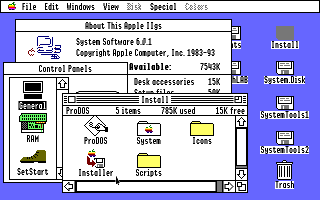
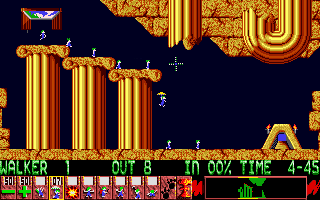
The archive (and the coffee table book on the way) is also requiring a greater range of screen grabs, specifically for these games:
Bridge 6
Panzer Battles
Reach for the Stars
Revolution 76
Cryllan Mission 2088
Dungeon Master
Mighty Marvel Vs the Forces of E.V.I.L.
Questron II
Roadwar 2000
Secrets of Bahras, The
Spirit of Excalibur
Tower of Myraglen
War in Middle Earth
Windwalker
Final Assault
Hunt for Red October, The
Silent Service
Each title in the archive will have the ‘Submit Screen Grabs’ button available for those titles that are a priority for obtaining more screen grabs.
Bernie ][ the Rescue allows you to easily copy what’s currently being emulated to the Mac’s clipboard, where you can paste into image editing software, such as Photoshop or Graphic Converter.
Although Sweet 16 v2.0 allows a correct aspect ratio display of IIGS video, please turn this option OFF if you creating screen grabs with Sweet 16. It creates anti-aliasing and pixels, which isn’t necessary for the purposes of the archive (although it looks great when using Sweet 16!). Additionally, don’t use any version of Sweet 16 prior to v2.0 for screen grabs – earlier Sweet 16s didn’t properly display a true IIGS colour palette.
It is preferable not to have the Apple IIGS border included with the screen grab.
However you make screen grabs, what’s also very important is how you save them: NEVER SAVE THEM AS JPEGs! Save them as GIF or 8-bit PNG files – these formats might only support limited colour palettes, but that’s perfect for IIGS screen grabs! And they use loss-less compression, so you don’t get any nasty compression artefacts that JPG leaves!
When you've got a collection of screen grabs assembled, archive them as a .zip file and upload that single file. Please be patient after pressing the submit button; as an example, it may take 2 or 3 minutes to upload 5 megabytes of data. Upon successful completion of the upload, the site will give you a 'Thank You' message for confirmation.